
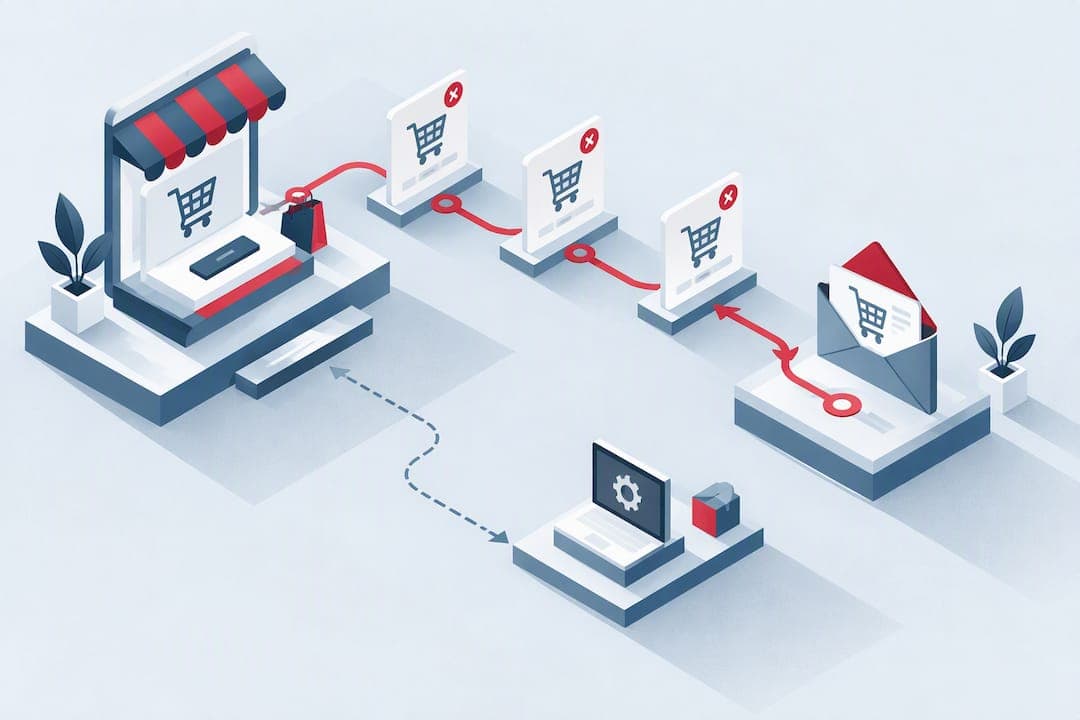
Yes, abandoned cart emails work with WooCommerce, and the immediate step is to enable a recovery flow that captures the checkout email and sends a sequence of timed reminders with a one-click restore link. This recovers revenue from carts that would otherwise sit untouched, and it simplifies checkout for shoppers who return later.
TL;DR:
- Using a WooCommerce recovery plugin, setting capture triggers before payment is crucial to recover carts abandoned early in the checkout process.
- Sending a sequence of timed emails with personalized subject lines, product visuals, and a clear restore link boosts recovery rates, especially when combined with targeted coupons.
- Tracking email deliverability and testing the restore links for accuracy ensures the flow functions properly and maintains customer trust.
- Regularly reviewing recovery logs and reconciling recovered orders with stock prevents inventory issues and maintains accurate reports.
- Proper domain email authentication and mobile-optimized design significantly improve email delivery and customer engagement for abandoned cart campaigns.
Table of Contents
- Step-by-step setup: install, configure and test a WooCommerce recovery flow
- What to write and when to send: recovery email templates, subject lines and timing
- How tracking and one-click restore links work
- Where to find and manage abandoned carts, pending orders and email logs in WooCommerce
- Deliverability and conversion best practices to make your abandoned-cart emails land and convert
- How to A/B test and measure the impact of your recovery flow
- WebPro Studio perspective: common problems we fix and a launch checklist
- How WebPro Studio can help implement and optimise your WooCommerce abandoned-cart flow
- FAQ
- Sources
Step-by-step setup: install, configure and test a WooCommerce recovery flow
Getting a live flow running takes less time than most store owners expect, and most of the work is configuration rather than code.
- Install the plugin by uploading it through Plugins → Add New in WordPress, then activate it under Plugins → Installed plugins. Options such as Cart Abandonment Recovery capture checkout emails automatically and send scheduled follow-ups with a restore link built in.
- Set the capture trigger so the email field at checkout saves the address as soon as it is entered, before the shopper reaches payment. This is what separates true cart recovery from order-confirmation emails, since it catches people who never finish the process.
- Configure guest tracking alongside logged-in customer tracking. PO Abandoned Cart for WooCommerce handles both cases, which matters because many WooCommerce stores see more guest checkouts than account sign-ins.
- Set the session or cookie expiry window, typically a few hours to a day, so a cart is not marked abandoned while someone is still actively shopping.
- Enable the unique cart restore link for every recovery email, so clicking it rebuilds the exact items and quantities without forcing a fresh login.
- Build recovery rules: decide how many emails to send, the delay between each, and any conditions such as only targeting carts over a certain value to protect margin on small orders.
- Run a live test: add products to a cart using a test email address, abandon the checkout, and wait for the first reminder to arrive.
- Open the test email, check that the cart summary, pricing and restore link all match what you left behind, then click through and confirm the cart reloads correctly.
- Check the plugin's admin email log to confirm to send was recorded and marked as delivered, not just queued.
Once this sequence runs cleanly from capture to restore, the flow is ready to go live on real traffic.
What to write and when to send: recovery email templates, subject lines and timing

A workable default is a recovery email sequence with several emails spaced over short and longer intervals. Plugin documentation across the WooCommerce ecosystem tends to recommend short early delays followed by a longer final nudge, since early reminders catch distracted shoppers while the 24-hour email reaches people who simply closed the tab to think it over. An additional email a few days later can work for higher-value products with longer decision cycles, but adding more than that usually just adds unsubscribes.
Every recovery email should include:
- A short, specific subject line that names the problem, not a vague teaser.
- Personalisation, at minimum the shopper's name and the exact items left behind.
- A visual cart summary with product images, so the shopper recognises the cart at a glance.
- One clear call to action: restore the cart, not multiple competing links.
- A visible unsubscribe link, kept simple and honoured promptly.
Coupons help with price-sensitive carts but cost margin on every order, including the ones that would have converted anyway. Reserve a unique, limited-use code for the final email in the sequence rather than the first, and track redemption separately so you can see whether the discount is actually driving incremental sales or just subsidising shoppers who intended to buy regardless.
Three snippets worth testing:
- Subject: "You left something in your cart" paired with a no-discount reminder at 15 minutes.
- Subject: "Still thinking it over? Here's 10% off" paired with a coupon at the 24-hour mark.
- Subject: "Your cart is about to expire" paired with urgency copy and a restore link at hour one.
Pro Tip: Run the no-discount and discount subject lines as a genuine A/B split rather than assuming the coupon always wins, since the margin saved on non-discount conversions often outweighs the lift.
How tracking and one-click restore links work
An email address gets captured the moment it is typed into the checkout field, which is why capture needs to happen before payment, not after. For guest shoppers, this email becomes the identity the recovery flow attaches the cart to, since there is no account to link it to otherwise.
Restore links work by storing the cart contents and checkout fields against that captured identity, then reconstructing them when the link is clicked, without requiring the shopper to log in first. This is convenient, but it has limits: a restore link can fail or behave oddly if stock ran out or a price changed between abandonment and the click, so a graceful fallback (showing the current price or an out-of-stock notice) matters more than it might seem.

Pending orders, meaning carts where checkout started but payment never completed, are often handled as a separate category rather than folded into standard abandonment. Plugin documentation across the WooCommerce ecosystem commonly treats these as a distinct trigger, sometimes with their own email sequence, since the shopper's intent at that point is usually stronger than someone who abandoned earlier in the funnel.
Where local rules require explicit consent for marketing emails, capture that consent at the point the email is collected and keep the unsubscribe link visible and functional in every message, including the first.
Where to find and manage abandoned carts, pending orders and email logs in WooCommerce
Most recovery plugins add a dedicated tab to the WordPress admin, usually under WooCommerce or its own top-level menu, listing every captured cart with the customer's email, items, cart value and timestamp.
- Use manual resend on individual carts when a shopper reaches out directly, and bulk send when you want to push a one-off promotion to everyone currently abandoned.
- Exclude specific addresses from recovery, useful for repeat abusers of coupon codes or for internal test accounts.
- Turn on admin notifications for recovered carts, so you see which reminders are converting without digging through reports.
- Check the email log regularly to confirm deliveries, spot failed sends, and catch broken images or dead restore links before they affect more customers.
When a recovered order does come through, reconcile it against current stock and any refunds issued in the meantime, since the gap between abandonment and recovery can be long enough for inventory to have moved.
Deliverability and conversion best practices to make your abandoned-cart emails land and convert
A perfectly written email is worthless if it lands in spam, so sending infrastructure deserves attention before copy does. Authenticate your sending domain with SPF, DKIM and DMARC, and send through a reputable transactional provider or properly configured business email hosting rather than a generic inbox.
Klaviyo's 2024 benchmark data shows abandoned-cart flows typically deliver materially higher revenue per recipient than other automated email types, which is why this flow is worth prioritising ahead of general newsletters or broader promotional sends.
- Keep subject lines short and explicit, and avoid spammy patterns like excessive punctuation or all-caps, which trigger filters and reader distrust alike.
- Lead with a product image and one visible call to action, since cluttered emails with multiple competing links tend to convert worse.
- Build emails to load fast and display cleanly on mobile, where most of this traffic is read.
- Track open rate, click rate, recovery rate and revenue per recipient as your core metrics, and treat a drop in any one of them as a signal to investigate rather than ignore.
Many WooCommerce recovery plugins offer essentially the same core feature set: capture at checkout, restore links and scheduled reminders. The real differentiator between stores that recover a meaningful share of abandoned carts and those that do not is deliverability and copy, not which plugin badge sits in the admin menu.
How to A/B test and measure the impact of your recovery flow
Before testing anything, agree on what you are measuring: recovered-cart rate (abandoned carts that convert within your tracking window), revenue per recipient, and the incremental lift the flow adds compared with doing nothing.
- Pick one variable to test at a time, such as subject line, send timing, or coupon versus no coupon, and resist changing several elements in the same test.
- Split your abandoned traffic into mutually exclusive groups rather than overlapping time windows, so one test does not contaminate another.
- Run each test long enough to collect a reasonable sample before drawing conclusions. A single week of low traffic will not tell you much.
- Where possible, hold out a small control group that receives no recovery email at all, so you can see the true lift the flow creates rather than crediting it with sales that would have happened anyway.
- When a variant wins clearly and consistently, make it the new default and move on to testing the next variable rather than re-testing the same one indefinitely.
Marginal gains (a percentage point here or there) are easy to over-interpret from small samples. Treat a result as a genuine win only once it holds up across more than one test cycle.
WebPro Studio perspective: common problems we fix and a launch checklist
Most abandoned-cart flows fail quietly rather than dramatically, so before launch we run through a short checklist including domain email authentication confirmed and tested, staging-environment test carts run end to end, coupon codes configured, payment gateway and delivery options verified, and a fallback in place for items that go out of stock between abandonment and recovery.
The issues we see most often are mundane rather than exotic: email authentication left unconfigured so messages land in spam, product images blocked by email clients because they are hosted incorrectly, restore links that expire before the shopper gets back to them, and guest checkout capture that silently fails because the email field trigger was never properly set.
For a straightforward single-plugin setup, a careful store owner can handle this alone. Where it gets harder, and where external help is often needed, is when local payment gateway integration, sales funnel logic or a tight launch deadline are involved and the flow needs to be tested and audited rather than assembled and hoped for.
— Ruvic
How WebPro Studio can help implement and optimise your WooCommerce abandoned-cart flow
We build and tune WooCommerce stores for a living, which means setting up the recovery flow is one part of a wider job: getting your email hosting and transactional sending configured correctly, running staging tests before anything goes live, and supporting the A/B testing that turns a working flow into a consistently profitable one.

If you would rather hand the setup to a team that has done it before, our usual next step is a short discovery call to scope the work, followed by a fixed-price implementation or an ongoing retainer if you want continuous optimisation. Our ecommerce solutions page covers the WooCommerce build and optimisation work this falls under, and you can get in touch to start that conversation.
FAQ
How can I recover abandoned carts in WooCommerce?
Install a cart recovery plugin such as Cart Abandonment Recovery, enable email capture at checkout, and configure a sequence of timed reminder emails with a restore link. Testing the full flow with a real cart before going live catches most configuration problems early.
Are abandoned cart emails legal?
Abandoned cart emails are generally permitted since they relate to a transaction the shopper already started, but rules on marketing consent and unsubscribe options vary by jurisdiction. Capture explicit consent where your local rules require it and always include a working unsubscribe link.
How do I see abandoned carts in WooCommerce?
Most recovery plugins add a dedicated admin tab listing every captured cart along with the customer's email, items and timestamp, separate from the standard WooCommerce orders screen. From there you can usually resend an email manually, send in bulk, or check the email log to confirm deliveries.
What is a cart abandonment email?
A cart abandonment email is an automated message sent to a shopper who added items to a WooCommerce cart but left before completing checkout. It typically includes a summary of the items left behind and a one-click link that restores the exact cart.